A format comparison is useful only when the visible output is acceptable and the test conditions are comparable. Start from one untouched source, keep dimensions constant, and record both bytes and visible defects. The smallest file is not automatically the best deliverable if gradients band, skin texture breaks, or the browser support required by the project is missing.
Choose the smallest acceptable output for a defined class of images—not a single “best format for the web.”
Repeatable method
1. Freeze the source and viewing conditions
Duplicate the original file and record its pixel dimensions, color profile, file size, and content type. Inspect every result at 100% zoom on the same display. Do not compare a resized AVIF with a full-size JPEG.
2. Create a quality ladder
Export three to five quality settings per lossy format. Give files neutral names such as sample-webp-q70 and sample-avif-q55 so the comparison remains auditable. Our browser tool can create JPEG and WebP outputs; use a documented AVIF encoder for AVIF.
3. Inspect problem regions
Zoom into gradients, high-contrast edges, small text, hair, foliage, and transparent boundaries. Note where artifacts first become distracting rather than selecting by byte size alone.
4. Verify the delivery markup
If you use picture sources, retain an img fallback and a real src value so crawlers and older clients have a usable candidate.
<picture>
  <source type="image/avif" srcset="sample.avif">
  <source type="image/webp" srcset="sample.webp">
  <img src="sample.jpg" width="1200" height="800" alt="Describe the image">
</picture>
A measured JPEG, WebP, and AVIF ladder
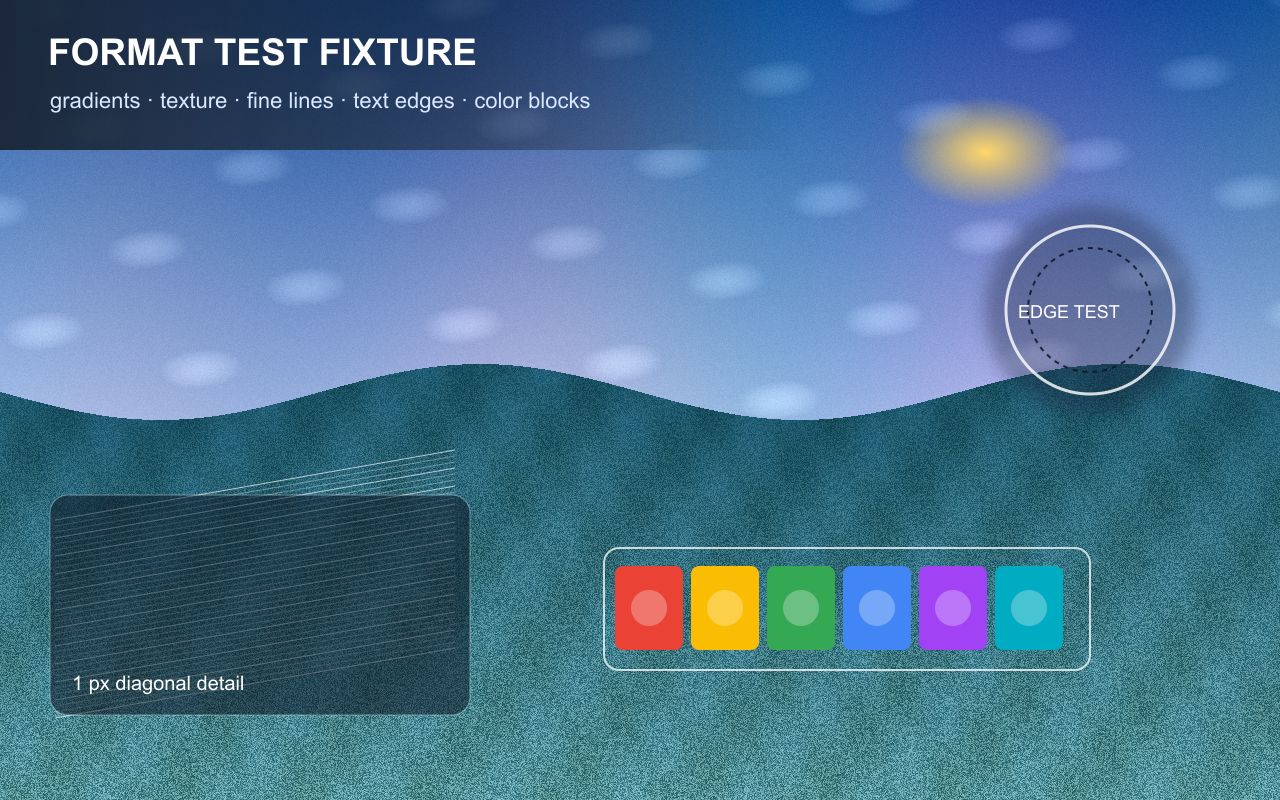
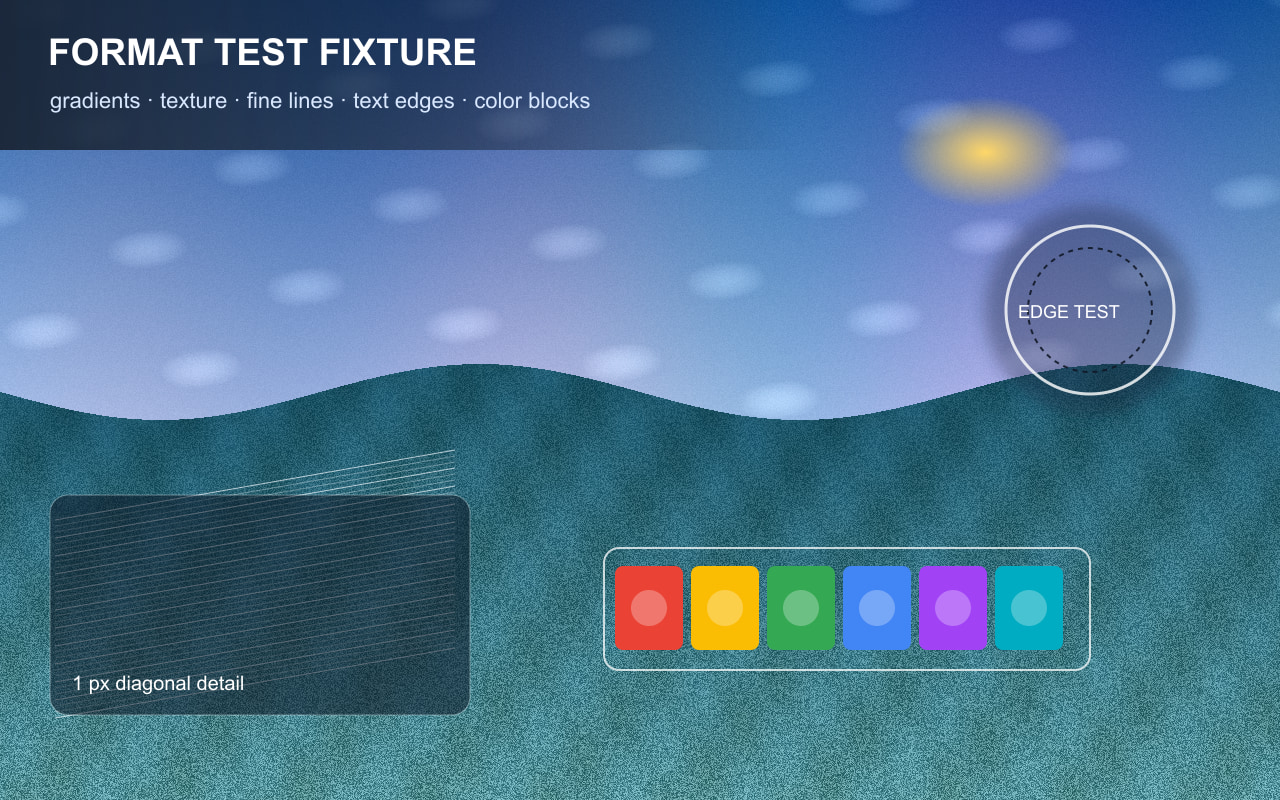
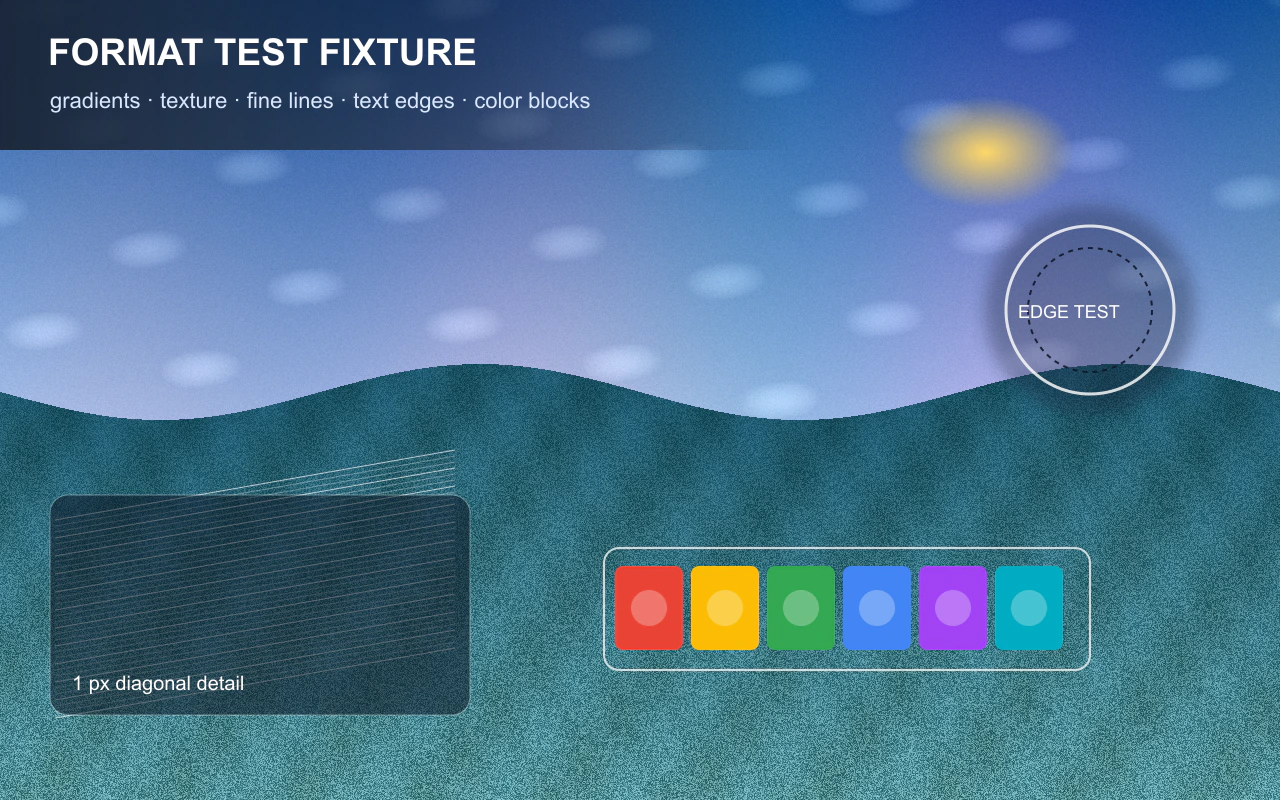
We generated one original 1280 × 800 RGB fixture for this run. It combines smooth gradients,
low-amplitude texture, one-pixel diagonal lines, text edges, circles, and saturated color blocks.
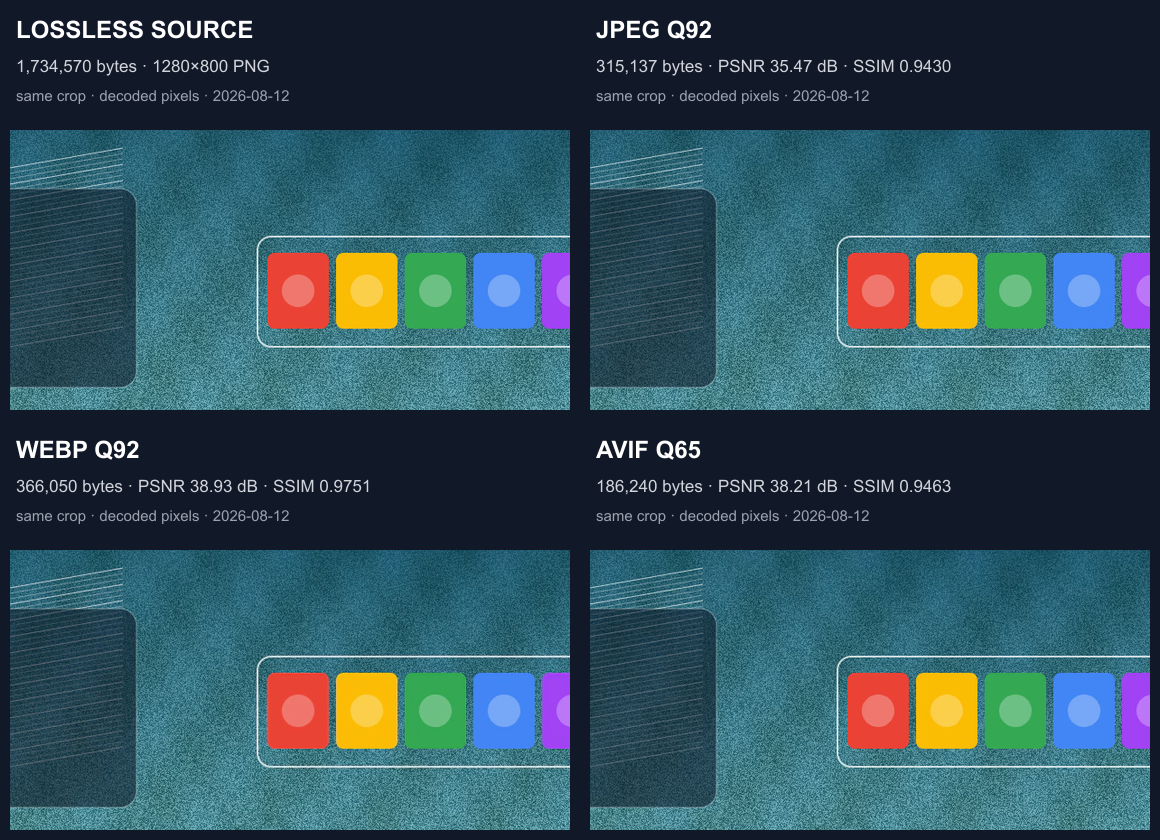
Every candidate uses the same decoded source pixels and dimensions. The source PNG, all 15 encoded
files, measurements, and an identical-crop comparison are available below.
We encoded each format at quality inputs 35, 50, 65, 80, and 92. Those numbers are encoder inputs,
not equivalent quality levels across formats. To avoid treating “quality 65” as the same visual target
everywhere, we selected the smallest tested candidate in each format that reached RGB PSNR ≥ 38 dB.
If no candidate reached that threshold, the rule selected the highest-PSNR candidate tested.
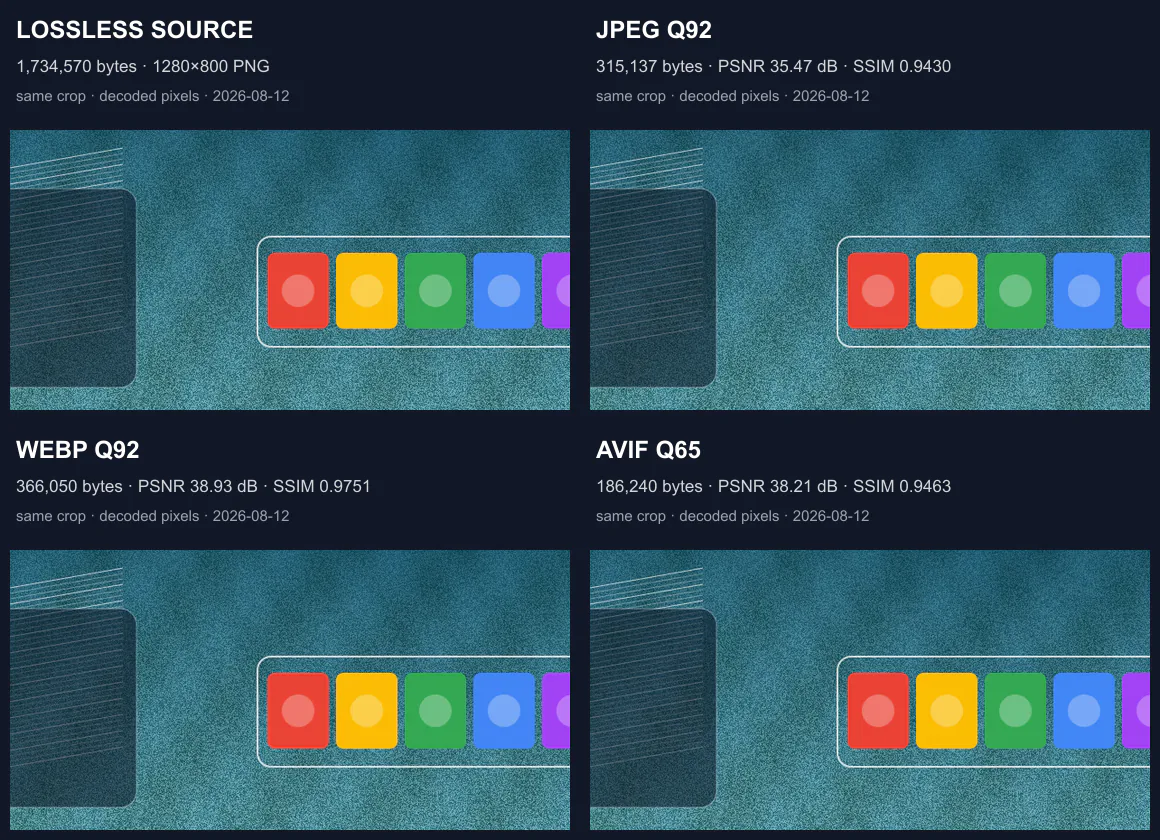
downloadable files at 100% zoom to inspect texture, thin lines, edges, gradients, and color transitions.
| Format | Selected setting | File size | Bits/pixel | RGB PSNR | 8 × 8 luma SSIM | Selection status |
|---|---|---|---|---|---|---|
| JPEG | Q92, MozJPEG, 4:4:4 | 315,137 bytes (307.8 KiB) | 2.462 | 35.4652 dB | 0.943018 | Did not reach 38 dB; highest-PSNR JPEG tested |
| WebP | Q92, effort 6 | 366,050 bytes (357.5 KiB) | 2.860 | 38.9323 dB | 0.975081 | Smallest tested WebP reaching 38 dB |
| AVIF | Q65, effort 6, 4:4:4 | 186,240 bytes (181.9 KiB) | 1.455 | 38.2120 dB | 0.946278 | Smallest tested AVIF reaching 38 dB |
What this run supports
In this five-step ladder, AVIF Q65 and WebP Q92 both cleared the 38 dB PSNR rule. The AVIF file was
49.1% smaller than the selected WebP file (186,240 versus 366,050 bytes). JPEG Q92 did not clear the
threshold, so its 315,137-byte result is not a threshold-matched size comparison and should not be used
to declare JPEG better or worse from this table.
The metrics also disagree in useful ways: AVIF Q65 and WebP Q92 are both above the PSNR threshold, while
WebP has the higher 8 × 8 luminance SSIM in this run. That is a reminder that neither number is a universal
perceptual score. PSNR and SSIM can miss gradient banding, ringing around text, texture changes, color shifts,
and defects that become visible only at a particular display size. Inspect the source and full candidates,
then repeat the ladder with representative production images.
Environment, source, and encoder settings
- Run date:
- Environment: Windows 10.0.26200 x64; Node.js v24.14.0
- Sharp 0.34.5; libvips 8.17.3
- MozJPEG 0826579; WebP 1.6.0; libheif 1.20.2; AOM 3.13.1
- Source: deterministic synthetic 1280 × 800 RGB fixture; no third-party media
- Source PNG: 1,734,570 bytes
- Source SHA-256:
8ee761ff7a23c8ecccec1c2acf8db61dc975fca184e769169e01af4f35394da6 - JPEG: MozJPEG enabled, 4:4:4 chroma; WebP: effort 6 and smart subsampling; AVIF: effort 6 and 4:4:4 chroma
- Metrics: decoded RGB PSNR and 8 × 8-window luminance SSIM against the same source pixels
Download the source fixture (PNG) ·
Download the labeled comparison (PNG) ·
Download all 15 measurements (CSV) ·
Download the method and environment (TXT) ·
Download the full benchmark bundle (ZIP)
Selected full-size candidates:
JPEG Q92 ·
WebP Q92 ·
AVIF Q65 (included in the full benchmark bundle)
Limitations: this is one synthetic fixture and a coarse five-point ladder. It does not represent
every portrait, screenshot, noisy photograph, illustration, transparency pattern, browser decoder, display, or
viewing distance. Encode time was not used as a quality or delivery metric. Results belong to these exact files,
settings, versions, and date; they are evidence for a repeatable workflow, not a universal format winner.
What to record
For each candidate, record encoder and version, quality setting, dimensions, bytes, visible defect notes, browser used for inspection, and the date. If the source contains transparency, record how the matte and edge pixels behave.
A result belongs to the source file, encoder, settings, browser, viewport, cache state, and date that produced it. Repeat the test on representative files before changing a production workflow.
Common mistakes
- Comparing different dimensions or crops
- Assuming identical quality numbers mean identical visual quality across encoders
- Judging from a thumbnail instead of inspecting critical regions
- Removing the fallback src from the img element
Verification checklist
Open the final page in at least two current browsers. Confirm the chosen source in DevTools Network, check intrinsic dimensions, zoom the image, disable support for a newer source if possible, and verify that the fallback still communicates the same content.
Primary references
Related lab notes
About this guide
We distinguish documented platform behavior from our workflow recommendations. See the testing methodology, editorial policy, and corrections log.