Chroma Subsampling 4:2:0 vs 4:4:4: When It Matters and What It Costs
Full colour (4:4:4) made JPEG photos 28 % larger for under 2 points of quality, while WebP's sharp YUV gave screenshots 7–9 points for about 10 % more bytes.
Most lossy image formats store colour at a lower resolution than brightness, a trick called chroma subsampling. The common 4:2:0 mode keeps one colour sample for every block of four pixels; 4:4:4 keeps full colour resolution. How many bytes does full colour cost, and how much quality does it buy, for photos versus screenshots and graphics? We switched only the chroma setting, kept everything else equal, and measured 28 images in JPEG, WebP and AVIF.
What changed and what did not
The corpus is our usual set: 20 CC0 photographs, 4 real screenshots of this site and 4 synthetic graphics (a gradient, a flat illustration, line art and a bar chart). For each format we encoded every image twice at the same quality setting, changing only the chroma handling:
- JPEG (MozJPEG): default 4:2:0 versus
chromaSubsampling: '4:4:4', at quality 75 and 85. - WebP: lossy WebP is always 4:2:0, but libwebp can use “sharp YUV”, a smarter conversion that reduces colour bleeding. Default versus sharp YUV, at quality 75 and 85.
- AVIF: sharp encodes AVIF at 4:4:4 by default. We compared that with 4:2:0 at quality 50 and 60, and also over the whole quality ladder.
Every file was scored with SSIMULACRA2 against the lossless source, as described in the methodology.
Results
| Change | Image type | Images | Median change in bytes | Median change in SSIMULACRA2 |
|---|---|---|---|---|
| JPEG q75: 4:4:4 | photo | 20 | +22.4 % | +1.87 |
| JPEG q75: 4:4:4 | screenshot | 4 | +40.0 % | +6.53 |
| JPEG q75: 4:4:4 | synthetic | 4 | +38.3 % | +2.47 |
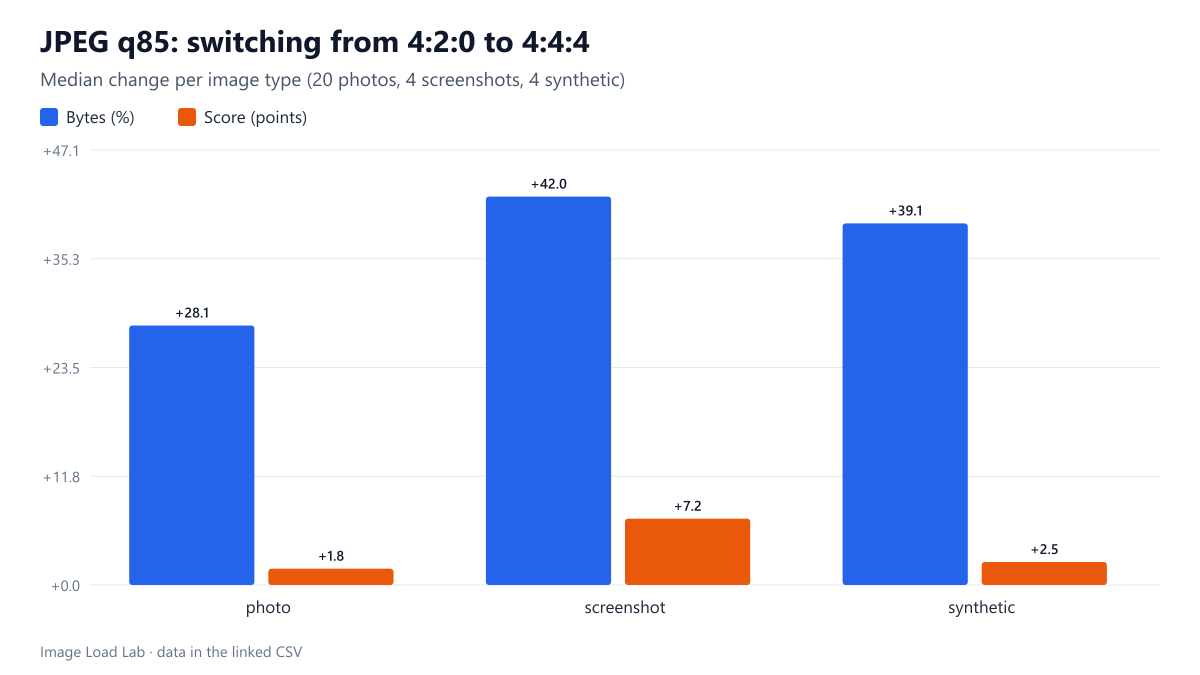
| JPEG q85: 4:4:4 | photo | 20 | +28.1 % | +1.76 |
| JPEG q85: 4:4:4 | screenshot | 4 | +42.0 % | +7.18 |
| JPEG q85: 4:4:4 | synthetic | 4 | +39.1 % | +2.49 |
| WEBP q75: sharp YUV | photo | 20 | +2.0 % | +0.39 |
| WEBP q75: sharp YUV | screenshot | 4 | +10.4 % | +7.29 |
| WEBP q75: sharp YUV | synthetic | 4 | +2.0 % | +1.20 |
| WEBP q85: sharp YUV | photo | 20 | +2.5 % | +0.39 |
| WEBP q85: sharp YUV | screenshot | 4 | +10.1 % | +9.21 |
| WEBP q85: sharp YUV | synthetic | 4 | +2.4 % | +1.31 |
| AVIF q50: 4:2:0 vs 4:4:4 | photo | 20 | -3.0 % | -1.27 |
| AVIF q60: 4:2:0 vs 4:4:4 | photo | 20 | -3.0 % | -0.88 |
| AVIF q50: 4:2:0 vs 4:4:4 | screenshot | 4 | -21.0 % | -7.57 |
| AVIF q60: 4:2:0 vs 4:4:4 | screenshot | 4 | -21.1 % | -7.92 |
| AVIF q50: 4:2:0 vs 4:4:4 | synthetic | 4 | -3.6 % | -1.84 |
| AVIF q60: 4:2:0 vs 4:4:4 | synthetic | 4 | -4.0 % | -1.96 |
JPEG: full colour was expensive. At quality 85, 4:4:4 made photos 28.1 % larger for a gain of only 1.8 points of SSIMULACRA2. Screenshots grew 42.1 % but gained 7.2 points, and synthetic graphics grew 39.2 % for 2.5 points.
WebP: sharp YUV was the best deal in the test. On screenshots it added about 10 % to the file and raised the score by 7.3 points at quality 75 and 9.2 points at quality 85. On photos it cost 2.0–2.5 % for 0.4 points.
AVIF: switching from sharp’s 4:4:4 default to 4:2:0 at the same quality made photos 3.0 % smaller and 0.9–1.3 points worse, and made screenshots 21 % smaller but 7.6–7.9 points worse. Compared at equal quality (a score of 70), 4:2:0 needed a median 1.75 % more bytes than 4:4:4 for photos, so the two are close to a tie there.
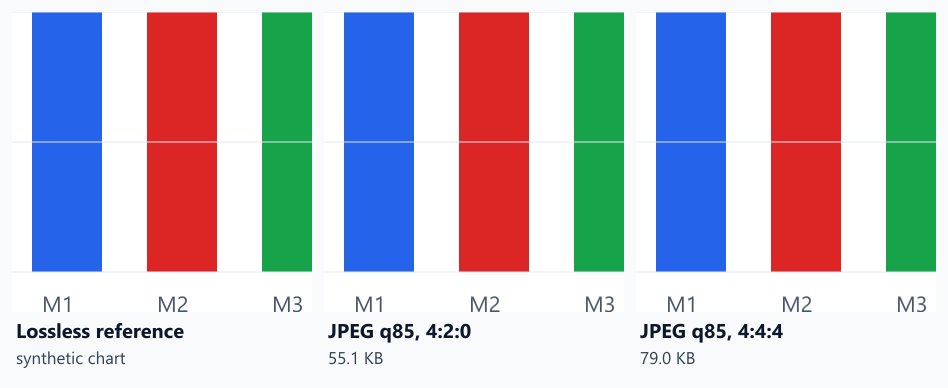
The enlargement shows where 4:2:0 hurts: at sharp edges between saturated colour and white, such as the bottom of the red bar, the edge becomes slightly darker and softer. In a photograph such edges are rare, which is why photos gain so little from 4:4:4.
Why screenshots and graphics care more
Text, interface elements and charts are full of one-pixel transitions between strong colours. Halving the colour resolution blurs exactly those transitions, and anti-aliased text in particular picks up colour fringes. Photographs have soft colour transitions almost everywhere, so a quarter-resolution colour channel is hard to notice.
Practical conclusion
- Photos: keep 4:2:0 in JPEG and WebP. 4:4:4 JPEG cost 22–28 % more bytes for under 2 points of quality.
- Screenshots and graphics in WebP: turn on sharp YUV (
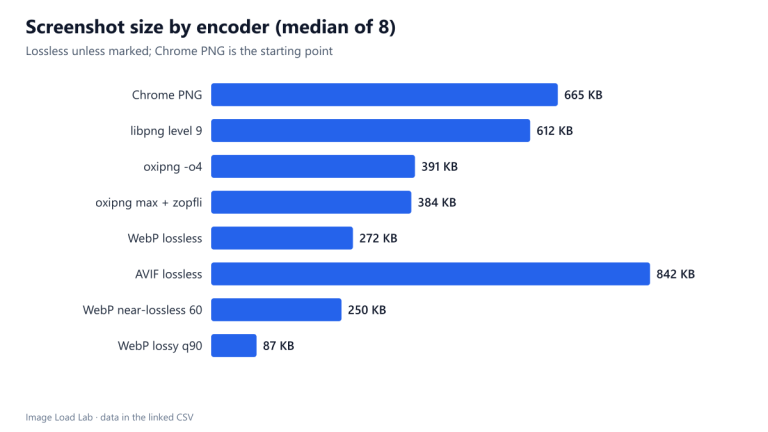
-sharp_yuvin cwebp,smartSubsample: truein sharp). About 10 % more bytes bought 7–9 points of quality. - Screenshots in JPEG: 4:4:4 helps, but a different format helps more. Lossless WebP was 59 % smaller than the PNG originals in our screenshot test.
- AVIF: sharp’s 4:4:4 default is a sensible choice for mixed content; for photo-only pipelines 4:2:0 is effectively equivalent.
How this connects to our other tests
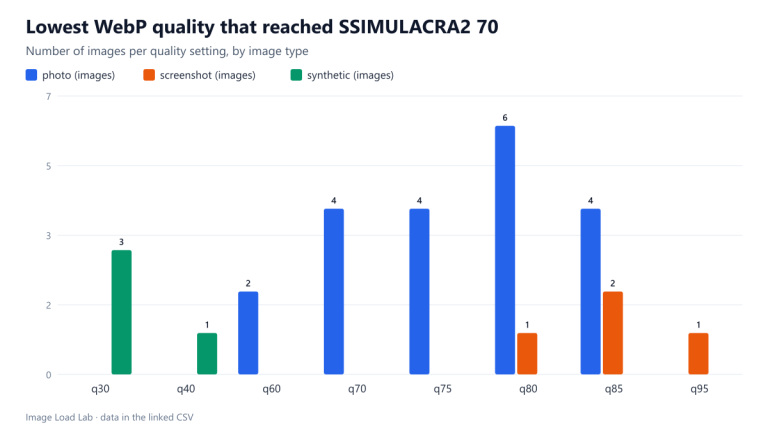
Chroma explains several results elsewhere in the lab. In the format comparison, WebP did not beat MozJPEG on photographs at equal SSIMULACRA2; WebP’s fixed 4:2:0 colour is one reason the metric scored it lower than the brightness-only SSIM did. In the WebP quality test, screenshots needed quality 80 to 95 to reach a score of 70, and here sharp YUV recovered 7–9 points on the same screenshots. For screenshots that must stay sharp, our lossless screenshot test shows the alternative.
Repeat this test on your own images
To test the setting in your own pipeline, encode one screenshot and one photo both ways and compare at 200 % zoom:
cwebp -q 80 shot.png -o shot.webp
cwebp -q 80 -sharp_yuv shot.png -o shot-sharp.webp
cjpeg -quality 85 -sample 1x1 -outfile shot-444.jpg shot.png
Look at coloured text, thin coloured lines and red or blue edges. Our script run_codecs.py encodes all the variants used in this guide.
Limitations
Two quality settings per format for the JPEG and WebP comparisons, one encoder per format and four screenshots from a dark-themed site. Encoders in other tools may default to different chroma modes; check what yours uses before applying these numbers.
Data and files
Download chroma.csv (168 rows, 11.0 KB) · Download avif-chroma-equal-quality.csv (28 rows, 1.3 KB) · Method: testing methodology.