Image Width vs File Size: What Halving the Dimensions Saves
Halving an image's width cut the file to about 31 % of its size, not 25 %: across 20 photos, bytes grew with pixel count to the power of 0.84 in JPEG and WebP and 0.82 in AVIF.
“Make the image half as wide and it will be a quarter of the size” is a reasonable guess: half the width means a quarter of the pixels. But compressed images do not scale with pixel count alone, because smaller images pack more detail into each pixel. How does file size really change with image width, and what is the cost of sending a file that is too large for its slot? We encoded 20 photos at five widths in three formats.
The test
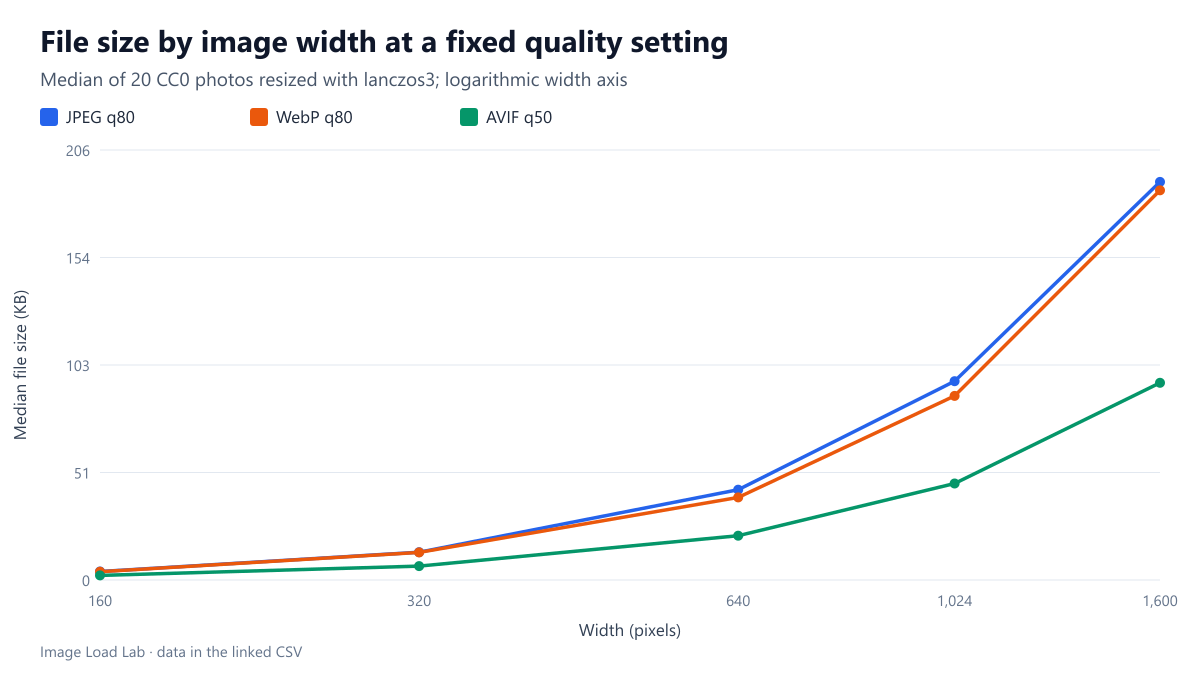
Each of our 20 CC0 photos was resized with sharp 0.35.5 (lanczos3) to 160, 320, 640, 1024 and 1600 pixels wide and saved as MozJPEG quality 80, WebP quality 80 and AVIF quality 50, settings that give similar visual quality on these photos according to our quality equivalence test. We took the median file size at each width and fitted a power law, file size ∝ pixelsk, between the smallest and largest width. A value of k = 1 would mean size grows in proportion to pixel count. These files are part of the same 1,800 encodes used in our thumbnail format test. See our methodology.
Results
| Format | 160 px | 320 px | 640 px | 1024 px | 1600 px | Exponent k (bytes ∝ pixels^k) | Size when width is halved |
|---|---|---|---|---|---|---|---|
| JPEG q80 | 4.0 | 13.3 | 43.2 | 95.1 | 190.5 | 0.84 | 0.31× |
| WebP q80 | 4.0 | 13.2 | 39.5 | 88.1 | 186.4 | 0.84 | 0.31× |
| AVIF q50 | 2.2 | 6.7 | 21.2 | 46.1 | 94.4 | 0.82 | 0.32× |
Size grew more slowly than pixel count. From 160 to 1600 pixels wide, the number of pixels grew 100 times, but the median JPEG grew from 4.0 KB to 190.5 KB, 47 times. The fitted exponent was 0.84 for JPEG and WebP and 0.82 for AVIF.
Halving the width cut the file to about 31 %, not 25 %. With k = 0.84, a file with half the width (a quarter of the pixels) is 4−0.84 ≈ 0.31 times the size. The measured steps agree: from 640 to 320 pixels the median JPEG went from 43.2 KB to 13.3 KB, a factor of 3.2.
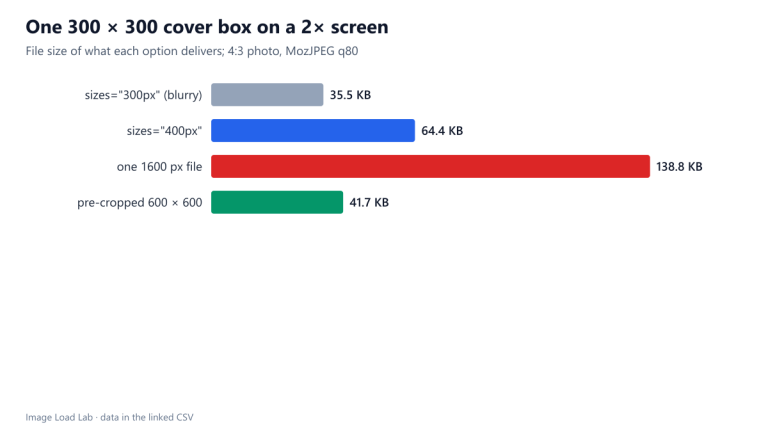
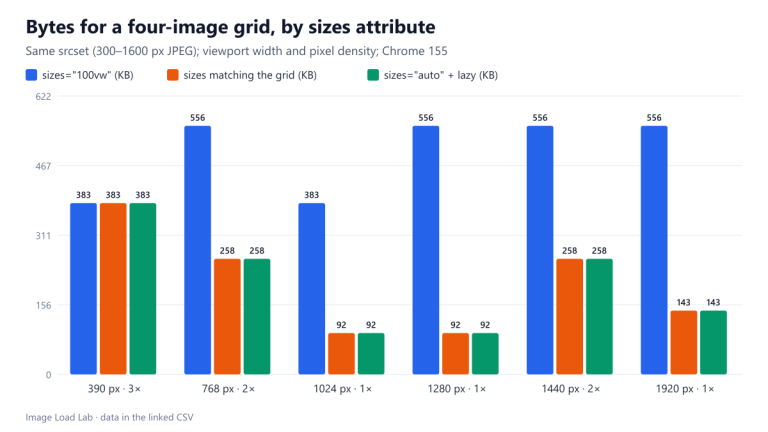
Doubling the width cost about 3.2 times the bytes. That is the price of a file twice as wide as its slot. It is why a missing or wrong sizes attribute is so expensive: in our descriptor test, a 400-pixel image with sizes="100vw" on a 1280-pixel window made Chrome download a file 7.4 times larger than needed.
The formats kept their order at every width. AVIF at quality 50 stayed at about half the size of JPEG at quality 80, and WebP stayed close to JPEG, between 1 % and 9 % smaller.
Using the numbers
- Estimate before you resize: each halving of the width divides the file by about 3.2; each doubling multiplies it by the same factor.
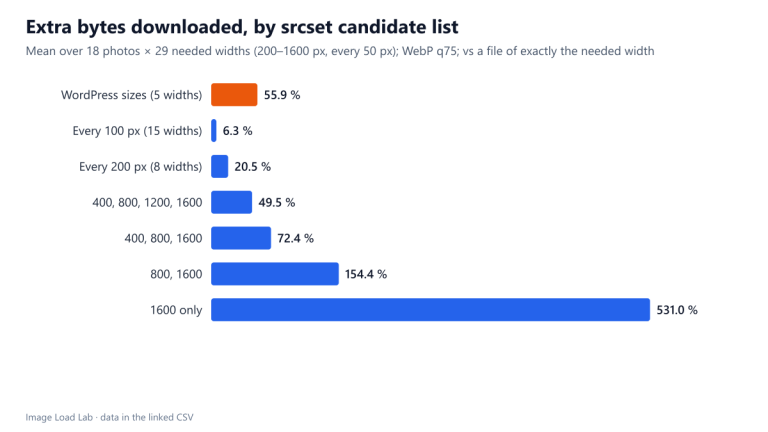
- Space srcset candidates with this in mind. Steps of about 1.5× in width (for example 400, 600, 900, 1350 pixels) mean that, in the worst case, a screen receives a file about twice the bytes it needs (1.5 squared to the power 0.84 is about 2); smaller steps cut that waste but add files to generate.
- Check the slot, not the screen. A 320-pixel thumbnail on a 3× phone needs a 960-pixel file; on a 1× desktop the same slot needs 320 pixels: a ninth of the pixels and, by the same rule, about a sixth of the bytes.
Practical conclusion
File size grew with pixel count to the power of about 0.84: halving an image’s width cut it to about 31 % of the size, and doubling it cost about 3.2 times the bytes. Size every image for its slot; a file twice too wide is roughly three times too heavy.
Limitations
Medians over 20 photos at one quality setting per format. Images with large flat areas or heavy texture scale differently; the exponent is a summary, not a law. Widths below 160 pixels were not tested.
Data and files
Download width-format-ladders.csv (1800 rows, 241.4 KB) · Method: testing methodology. Photos: image credits.